


5 tips to self-manage CGM issues without panic

CGMs are meant to support you, not make you second-guess yourself. Yet when something goes wrong, panic often arrives before understanding. An alert you were not expecting. A reading that does not match how you feel. A patch lifting when you are already tired or distracted.
For new and anxious users, these moments can feel personal, as though you have done something wrong. In reality, most CGM issues are common, predictable, and manageable once you know how to respond.
Learning to self-manage CGM issues helps build independence, confidence, and trust in yourself over time. This guide focuses on five practical tips for CGM troubleshooting, giving you a clear order of action so you can stay calm and in control.
Tip 1: check your body before you check the screen
The most important step in CGM troubleshooting is also the simplest. Before analysing numbers or alerts, check how you feel.
Ask yourself:
- Do I feel physically unwell right now?
- Am I experiencing symptoms that need immediate attention?
- Or do I feel mostly fine despite what the CGM is showing?
If your body feels stable, you usually have time. Many CGM troubleshooting moments are technical rather than urgent medical situations. Starting with your body helps interrupt panic and reinforces that the CGM is a tool, not a judgement.
Tip 2: understand what CGMs can and cannot show
A large amount of CGM anxiety comes from expecting instant accuracy.
CGMs measure interstitial glucose, not blood glucose. This means:
- Readings can lag behind finger checks
- Rapid changes may look exaggerated
- Trend arrows can shift before numbers stabilise
This is not a fault. It is how CGMs work.
Waiting 10 to 15 minutes before reacting is often enough for readings to align. Understanding this reduces overcorrection and builds confidence in CGM troubleshooting decisions.
Tip 3: identify the issue before reacting
Most CGM troubleshooting situations fall into a small number of familiar patterns. Naming the issue removes fear and gives you direction.
|
What you notice |
What it usually means |
What helps |
|
Readings do not match how you feel |
Normal CGM lag |
Wait and recheck |
|
Sudden low alert at night |
Compression while sleeping |
Change position |
|
Signal lost message |
Bluetooth or distance issue |
Bring device closer |
|
Repeated alerts |
Thresholds set too tightly |
Review alert settings |
|
Patch edges lifting |
Sweat, friction, or movement |
Reinforce early |
Once you identify the category, CGM troubleshooting becomes calmer and more predictable.

Tip 4: deal with patch issues early, not emotionally
Patch problems are one of the biggest panic triggers, especially for new users. A lifting edge can feel like the beginning of sensor failure.
The key rule is act early, not urgently.
If you notice:
- Patch edges lifting
- Fabric stretching
- Movement under clothing
That is the moment to intervene calmly.
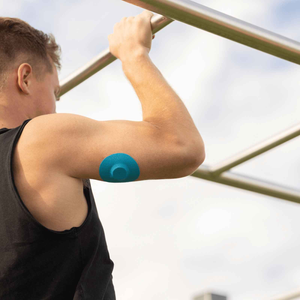
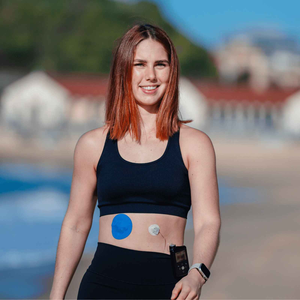
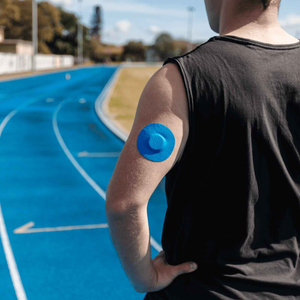
Using purpose-built cgm patches helps stabilise sensors during daily movement. Many users rely on type strong patches to reduce CGM troubleshooting stress because they are designed to support real-life wear.
Good preparation also matters. Skin prep for CGM patches explains how small steps can prevent patch issues before they start. If you are unsure whether reinforcement is enough, signs your CGM patch is failing helps you decide calmly.
A note on feeling prepared
At this point, many people realise that panic often comes from feeling unprepared rather than from the issue itself.
Keeping reliable cgm patches nearby means you are not scrambling when wear changes unexpectedly. Some people also refer to these as CGM stickers or overpatches, but the purpose is the same — added stability when your sensor needs extra support.
When cgm patch lifting becomes a pattern, reinforcing early with a well-fitted overpatch helps prevent full sensor failure and reduces unnecessary stress. Many users include type strong patches australia as part of a calm, preventative routine rather than an emergency fix.
Tip 5: treat alerts as information, not commands
Alerts are tools, not orders. If alerts increase anxiety rather than safety, they need adjusting.
Common signs alert settings are not working for you:
- Frequent interruptions during sleep or work
- Alerts that do not match how you feel
- A constant sense of pressure to react
You are allowed to:
- Review thresholds with your care team
- Temporarily widen ranges during stressful periods
- Silence non-urgent alerts when rest matters
This is part of learning independence. Managing CGM alerts at work shows how many users adapt alerts to reduce stress without compromising care.
Managing skin irritation without self-blame
Skin discomfort can quickly add emotional strain during CGM troubleshooting.
Early signs include:
- Itching under the patch
- Redness after removal
- Tight or burning sensations

If irritation worsens:
- Do not push through pain
- Remove the sensor if needed
- Allow skin time to recover
Learning how your skin reacts is part of long-term confidence. CGM patch skin reactions explains how to spot early signs.
Some users include skin adhesive wipes as part of their planned CGM troubleshooting routine rather than a last-minute solution.
Build a calm CGM troubleshooting routine
Confidence does not come from avoiding problems. It comes from knowing what to do.
A calm routine might include:
- Daily placement and patch checks
- Early reinforcement using cgm adhesive patches
- Weekly alert reviews
- Keeping spare cgm overpatch users depend on nearby
Many experienced users say preparation reduces anxiety more than experience alone. This is also why people keep pump infusion set patches available even if they rarely need them.
Calm responses build confidence
Self-managing CGM issues is a skill that develops gradually. You do not need to respond perfectly. You need to respond calmly.
Over time, CGM troubleshooting becomes part of daily life rather than a source of fear. Confidence grows through preparation, repetition, and trust in yourself.
References
Heinemann, L. et al. (2018) Benefits and limitations of continuous glucose monitoring. Journal of Diabetes Science and Technology.
https://journals.sagepub.com/doi/10.1177/1932296818793974
American Diabetes Association (2024) Continuous glucose monitoring.
https://diabetes.org/technology-access/continuous-glucose-monitoring
Cleveland Clinic (2023) Continuous glucose monitoring.
https://my.clevelandclinic.org/health/articles/continuous-glucose-monitoring-cgm


