



Dexcom Patches That Won’t Irritate Sensitive Skin

Your Dexcom CGM is meant to make life with diabetes easier — not leave you with red, itchy, or peeling skin. Yet, for some users, the standard adhesive can be a bigger daily annoyance than the glucose checks it’s meant to replace.
If you’ve been searching for CGM patches for sensitive skin, you’re already ahead of the curve. The right patch can help you keep your sensor secure while preventing the discomfort and inflammation that too many people quietly tolerate. Many people start researching this after experiencing Dexcom G7 skin irritation, itching, or a small rash forming around the sensor site.
Why CGM patches can irritate the skin
The Dexcom G6 and G7 sensors rely on a medical-grade adhesive layer to keep them in place for up to 10 days. This adhesive is designed to be strong, but that strength comes from certain chemicals — including acrylates — that can cause allergic contact dermatitis or irritant contact dermatitis in some people.
- Allergic contact dermatitis happens when your immune system mistakes a harmless substance for a threat, causing redness, itching, and swelling.
-
Irritant contact dermatitis is not an allergy but a reaction to skin damage from a harsh substance or repeated friction.
Heat, sweat, and constant movement can make matters worse by breaking down the skin barrier faster, allowing adhesive chemicals to penetrate deeper. This is why so many users ask how can I find patches that are suitable for sensitive skin? — because reducing skin stress is key to comfortable CGM wear.
If you notice redness, itching, or a Dexcom G7 rash, it may help to understand the early signs of CGM patch reactions. Recognising irritation early allows you to change your patch setup before the skin barrier becomes more inflamed.
What to look for in CGM patches for sensitive skin
If you have sensitive skin, the best Dexcom G7 patches for sensitive skin or best Dexcom G6 patches for sensitive skin should meet these criteria:
- Hypoallergenic adhesive – avoids known irritants such as acrylates, colophony, and certain glues. Understanding what makes a CGM patch hypoallergenic can help you choose materials that are less likely to trigger irritation.
- Latex-free materials – even mild latex sensitivity can flare up with repeated exposure.
- Breathable fabric – lets heat and moisture escape, reducing the risk of sweat rash.
- Gentle but secure hold – a balance that prevents the patch from lifting without damaging skin during removal.
- Precision fit – prevents wrinkles or gaps that can rub against the skin and cause irritation.

Dexcom G6 vs G7: Why patch fit matters
The Dexcom G6 and G7 sensors differ in both shape and adhesive surface area:
|
Sensor model |
Patch shape |
Why fit matters |
Best use case |
|
Dexcom G6 |
Longer oval |
More surface area requires evenly distributed adhesive for comfort |
Ideal for upper arms or abdomen placement |
|
Dexcom G7 |
Round and compact |
Smaller patch needs exact alignment to prevent edge lift |
Perfect for smaller frames or discreet wear |
Using the wrong patch size can lead to creases, poor adhesion, or uneven pressure — all of which increase skin irritation risk. That’s why CGM patches for sensitive skin should be cut specifically for your sensor model.
If your patch lifts early or begins to peel, it may indicate that your patch strength isn’t suited to your routine. Understanding the signs your CGM patch is too weak can help identify wear problems early.
Our recommendations for sensitive skin
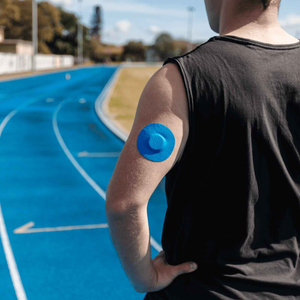
Type Strong’s Dexcom G6 adhesive patches and Dexcom G7 patches are designed to reduce skin reactions while keeping your sensor secure.
Why they work well for sensitive skin:
- Hypoallergenic, latex-free adhesive
- Breathable, soft fabric that reduces trapped moisture
- Strong hold through showers, workouts, and hot weather
- Custom-cut shapes for G6 and G7 sensors to prevent unnecessary friction
For many users, these are the best Dexcom G6 patches for sensitive skin and best Dexcom G7 patches for sensitive skin because they combine secure adhesion with skin comfort.
How to prevent irritation before it starts
Even with the right patch, skin preparation and care are essential — especially if your skin is prone to reactions. Dermatology experts recommend:
- Clean the skin thoroughly – Use an alcohol wipe to remove oils, sweat, and lotions.
- Let the skin dry completely – Moisture under the adhesive can cause maceration.
- Rotate your CGM sites – Repeated use of the same spot reduces healing time.
- Trim body hair – Minimises pulling during removal.
- Avoid doubling up patches – Multiple layers can trap heat and increase friction. Learn more about layering CGM patches.
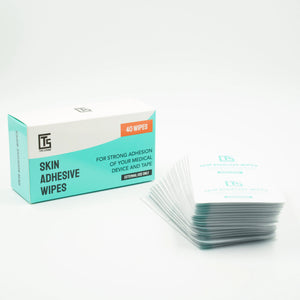
- Use a barrier wipe if needed – Creates a protective film between adhesive and skin.
For more detail, see our guide on how to prep your skin for patches.
Dexcom G7 itching, rash, or allergic reactions
Some users experience Dexcom G7 itchy skin, redness, or even an allergic reaction to Dexcom G7 adhesive. These reactions are usually caused by sensitivity to adhesive chemicals or prolonged moisture under the sensor.
For people with very reactive skin, using breathable CGM patches for sensitive skin or applying a thin barrier layer can help reduce irritation while keeping the sensor secure. Some users also experiment with a Dexcom G7 underpatch for sensitive skin to minimise direct adhesive contact.

The bottom line
You don’t need to put up with skin irritation to keep your Dexcom secure. With CGM patches for sensitive skin, you can get the best of both worlds — accurate glucose tracking and skin comfort.
By choosing the best Dexcom G6 patches for sensitive skin or best Dexcom G7 patches for sensitive skin, and following proper skin care steps, you can wear your CGM with confidence instead of discomfort.
Patch tip: Pair with adhesive wipes to extend wear time without adding harsh chemicals.
Have a look at our Dexcom G6 and G7 patches for sensitive skin – and see if the difference speaks for itself.


