

How to Remove a FreeStyle Libre Sensor Gently | Type Strong

To remove a FreeStyle Libre 3 or FreeStyle Libre 2 sensor, Abbott says to “Pull up the edge of the adhesive that keeps your sensor attached to your skin”, then “Slowly peel away from your skin in one motion” (Abbott). Any sticky residue left behind “can be removed with warm soapy water or isopropyl alcohol”. Put your next sensor on a different spot on the back of your arm. If you wear a patch over the sensor, take that off first.

How Abbott says to remove a FreeStyle Libre sensor
Your app or reader will tell you when the sensor’s wear time is up. Then, in Abbott’s words (Abbott):
-
“Pull up the edge of the adhesive that keeps your sensor attached to your skin.”
-
“Slowly peel away from your skin in one motion.”
-
“Any remaining adhesive residue on the skin can be removed with warm soapy water or isopropyl alcohol.”
The sensor comes off in one piece, including the filament, the tiny flexible tip that sat just under your skin. Abbott’s support page also has a tutorial video on removing and replacing a FreeStyle Libre 3 sensor.
FreeStyle Libre 3 Plus
Abbott’s FreeStyle Libre 3 Plus Getting Started Guide says the sensor “is designed to stay on for up to 15 days”. To remove it: “Pull up the adhesive edge and slowly peel it away from your skin.”
FreeStyle Libre 2 and FreeStyle Libre 3
The steps are the same. Abbott’s Sensor Application & Adhesion Guide, which covers both sensors, uses the same words: “Pull up the adhesive edge and slowly peel it away from your skin.”

Wearing a patch? Take it off first
Abbott’s steps don’t mention an overpatch, but many people wear one. Here’s how it fits in.
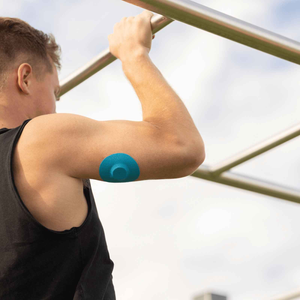
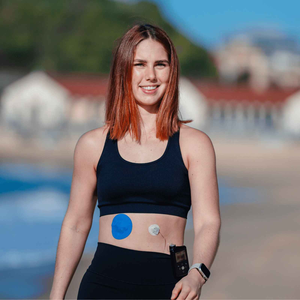
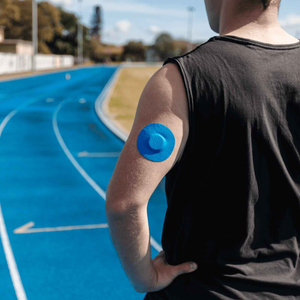
A Type Strong patch has a non-stick centre. That centre rests on the sensor without gluing to it, while the patch’s adhesive ring sticks to the skin around the sensor. So you’re dealing with two separate layers: the patch on top, and the sensor’s own adhesive pad underneath.
You have two options:
-
Patch first (our pick). Peel the patch off on its own, then remove the sensor using Abbott’s steps. Taking one layer at a time is gentler and easier to control.
-
Both together. Lift the edge of the patch and keep going, so the patch and sensor come away in one slow peel.
Either way, use the low and slow technique below.

How to make removal sting less
Nurses use a technique called “low and slow” for medical adhesives (American Nurse Journal). It works for a sensor and a patch alike:
-
Keep it low. Peel back close and almost parallel to the skin, folding the adhesive back over itself.
-
Never pull straight up. Pulling upwards lifts and stretches the skin, which is what stings.
-
Support your skin. Press down on the skin just behind the edge as you peel, and move your hand along as more skin is exposed.
-
Go with the hair. Peel in the direction the hair grows, not against it.
-
Take your time. Slow and steady stings less than one quick rip.
For more on looking after your skin, see how to remove a CGM patch without skin damage.
Getting rid of the sticky ring
Abbott says any remaining adhesive residue “can be removed with warm soapy water or isopropyl alcohol” (Abbott). Wash gently rather than scrubbing, then let the skin dry. Our guide to post-adhesive skin care after CGM removal has more on soothing the area.
If the skin stays red, sore or itchy, speak to your diabetes care team. Abbott says that if you notice significant skin irritation around or under your sensor, remove the sensor, stop using the system, and contact your healthcare professional before you use it again (Abbott).
Before you apply the next sensor
Abbott’s FreeStyle Libre 3 Plus Getting Started Guide says: “Apply the new sensor to a different spot on the back of your arm to avoid skin irritation.” It adds that “Switching arms with each new sensor can help.” Give the old site time to recover, and start on clean, dry skin. Our guide on how to apply and use the FreeStyle Libre walks through the next application step by step.
Skin adhesive wipes
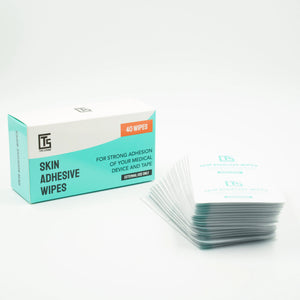
If sensors or patches tend to lift on you, a skin adhesive wipe leaves a tacky layer that helps adhesive grip. Use it on clean, dry skin before the new patch goes on, and follow the directions on the pack. Adhesive wipes add grip; they’re not for removing a sensor or patch.
A patch for the new sensor
Type Strong FreeStyle Libre sensor patches are made for the FreeStyle Libre 2 and FreeStyle Libre 3. Our fabric patches are designed to hold for 10+ days and are water resistant, helping the new sensor stay put against towels, sleeves and doorframes. Browse the full FreeStyle Libre collection, or read our 5 tips and tricks to protect your FreeStyle Libre sensor.
How to throw away a used FreeStyle Libre sensor
Abbott says: “To dispose of your sensor, follow your local regulations for electronic equipment, batteries, sharps, and materials that are exposed to body fluids” (Abbott). The sensor contains electronics and a battery, so it shouldn’t simply go in household recycling. Check your local council’s rules.
The needle isn’t part of the sensor you’ve just removed. It’s inside the applicator, and in Abbott’s words, “The needle does not stay in your arm” (Abbott).
People also ask
How do you remove a FreeStyle Libre 2 sensor?
The same way as a FreeStyle Libre 3. Abbott says to pull up the adhesive edge and slowly peel it away from your skin in one motion. Take off any overpatch first, and clear leftover residue with warm soapy water or isopropyl alcohol.
How do you remove a FreeStyle Libre 3 sensor without it hurting?
Peel low and slow: close to the skin, folding the adhesive back over itself, never straight up. Support the skin with your other hand and peel in the direction the hair grows.
Can you put a Libre sensor back on if it falls off?
No. Once a FreeStyle Libre sensor comes off, the filament that sat under your skin comes out with it, so the sensor can’t be reapplied. You’ll need to apply a new one.
Should I take the patch off before the sensor?
It’s usually easiest. A Type Strong patch’s non-stick centre rests on the sensor and its adhesive ring sticks to the skin around it, so you can peel the patch away first and then remove the sensor. You can also lift both together in one slow peel.
How do I get FreeStyle Libre adhesive residue off my skin?
Abbott says residue can be removed with warm soapy water or isopropyl alcohol. Wash gently rather than scrubbing.
Can I put my FreeStyle Libre on the front of my arm?
Abbott’s approved application site is the back of the upper arm, so the front of the arm falls outside its instructions. Put each new sensor on a different spot on the back of your arm, and ask your care team about any other site. Read more in where to wear a FreeStyle Libre sensor.
Sources
-
Abbott, How to remove the FreeStyle Libre 3 sensor (US)
-
Abbott, FreeStyle Libre 3 Plus Getting Started Guide (US)
-
Abbott, Sensor Application & Adhesion Guide (FreeStyle Libre 2 and FreeStyle Libre 3, US)
-
Abbott, Potential skin reactions
-
Taroc AM. A guide for adhesive removal: Principles, practice, and products. American Nurse Journal, October 2017.


