


How to Extend the Life of Your Dexcom Sensor: Tips and Best Practices

If your Dexcom sensor has ever peeled early, loosened during a workout, or lost accuracy before the session ends, you are not alone. Thousands of users experience premature lift caused by sweat, friction, heat, or incorrect skin preparation. Because your CGM provides essential information for driving, exercise, work, sleep, and mealtime decisions, knowing how to extend Dexcom sensor life can make a real difference in your confidence and safety.
The strategies below combine research, device science, and practical lifestyle guidance to help your Dexcom stay secure for its full intended wear period.
1. Prepare your skin properly before insertion
Correct skin preparation is one of the strongest predictors of long, stable wear. You can explore deeper preparation methods in Type Strong’s guide on how to prep your skin for patches.
Key steps:
- Clean the site with mild, residue-free soap.
- Rinse thoroughly and allow the skin to air dry.
- Avoid moisturisers or oils for up to 12 hours before insertion.
- Use an alcohol wipe to remove surface oils and let it fully dry.
- Trim hair gently.
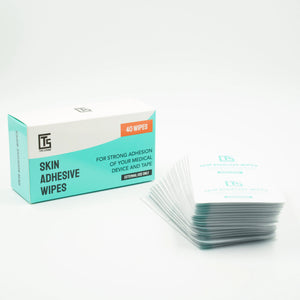
- Consider Type Strong skin adhesive wipes if your sensor often loosens early.
Clinical studies show that sweat, natural skin oils, and residue significantly weaken medical adhesives (Zhang et al., 2022).
2. Apply your Dexcom sensor using proven adhesion techniques
Small improvements in application technique support longer wear.
- Avoid stretching the skin when inserting the sensor.
- Warm the skin gently with your hand for improved adhesive bonding.
- Press firmly around the edges of the sensor patch for 10 to 15 seconds.
- Select a site with minimal friction from clothing or seatbelts.
- Give the adhesive at least one hour to anchor before heavy activity or heat exposure.
These small steps form the foundation of how to extend Dexcom sensor life reliably.
3. Use reinforcement patches when additional support is needed
For many users, particularly active individuals, overpatches are the most effective tool for preventing early lift.
Type Strong Dexcom-specific options include:
- Dexcom G7 patches
- Dexcom G6 adhesive patches
- The flexible tape roll for corner reinforcement

Reinforcing the sensor:
- Reduces friction impact.
- Helps the device stay stable through sweat-heavy workouts.
- Improves edge protection from moisture.
To understand why some patches fail on G7 devices, see Type Strong’s article on why regular patches do not always work.
4. Choose the right placement for stability and comfort
Sensor placement affects accuracy and longevity. Consider these guidelines when selecting a site.
- Choose an area with minimal bending or twisting.
- Avoid waistbands, bra lines, and spots that rub during sleep.
- Select a site with consistent padding rather than bony areas.
- Rotate sites to prevent skin fatigue and irritation.
Research shows that repeated use of the same area can weaken the skin barrier, reducing adhesive performance (Lichterfeld et al., 2021).
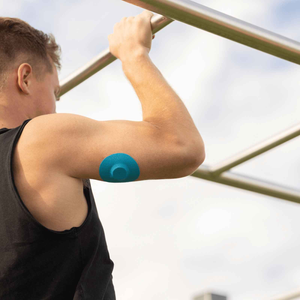
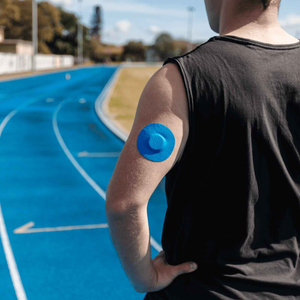
5. Protect your Dexcom during movement, sweat, and exercise
Exercise changes skin temperature and moisture levels, which impacts wear time. You can explore more at Type Strong’s guide on exercise and patch stability.
Helpful strategies:
- Apply an overpatch before exercise rather than after the adhesive begins to lift.
- Wear breathable clothing to minimise friction.
- Pat the area dry after showers or workouts instead of rubbing.
- Limit long exposure to heat such as saunas or hot baths.
- Add reinforcement on higher friction days (e.g. sport, travel, summer season).
These simple adjustments directly support how to extend Dexcom sensor life during active routines.
6. Manage moisture and water exposure effectively
Moisture is one of the biggest reasons sensors fail early.
- Keep showers short in the first 24 hours after application.
- Pat the area dry immediately after swimming or bathing.
- Reinforce edges with a Type Strong tape roll if water exposure is expected.
- Avoid applying the new sensor immediately after a shower when the skin is still warm and damp.
Studies show that adhesives absorb water, reducing their bonding strength over time (U.S. National Library of Medicine, 2023).
7. Monitor your Dexcom adhesive regularly
Sensor lift usually begins subtly at the edges. Identifying changes early helps you secure the device before the lifting spreads.
- Check the perimeter of the patch daily.
- Apply reinforcement when you notice corners lifting.
- Track your personal patterns (e.g. edges lift faster in summer).
- Note which sites on your body offer the best longevity.
Early reinforcement saves many sensors from premature replacement.

8. Understand signs that your skin needs extra support
If you frequently experience irritation, peeling, or redness, it may indicate that you need to adjust your routine.
- Switch to hypoallergenic patches.
- Allow recovery time between sensor placements.
- Review Type Strong’s guide on hypoallergenic CGM patches.
- Consider alternating between patch styles depending on weather or activity.
Your skin is the foundation of sensor longevity, so understanding your own patterns helps determine how to extend Dexcom sensor life safely.
9. Troubleshoot common adhesion problems early
Here is a quick reference table that aligns with the steps above.
|
Problem |
Likely cause |
Best fix |
|
Edges peeling within days |
Moisture or friction |
Dexcom-specific overpatch such as Type Strong G6 or G7 patches |
|
Sensor loosens during exercise |
Sweat and movement |
Pre-exercise application of an overpatch |
|
Patch lifting after sleep |
High-pressure areas |
Choose site away from pressure points |
|
Skin irritation |
Sensitivity or pH |
Rotate sites, use hypoallergenic patches |
|
Repeated early failure |
Skin prep inconsistency |
Review prep steps and use adhesive wipes |
People also ask
10. How do I stop my Dexcom sensor from falling off?
Focus on proper skin prep, correct site selection, stable clothing choices, and reinforcement with a Dexcom-specific overpatch. This combination helps prevent the most common causes of early lift.
11. What helps Dexcom last longer?
A consistent routine of dry skin, clean prep, correct pressure sealing, and reinforcement patches can significantly improve longevity. Many users find that following these steps is the most reliable way to learn how to extend Dexcom sensor life.
12. Why does my Dexcom peel off?
Heat exposure, clothing friction, sweat, and moisturisers are the most common causes. Placement near joints or tight clothing areas increases the risk of peeling.
13. Is it safe to tape over a Dexcom sensor?
Yes, as long as you avoid blocking the transmitter. CGM-specific patches are recommended because they follow the device outline and provide support without interfering with sensor function.
Build long-term habits that support Dexcom wear time
Learning how to extend Dexcom sensor life is not about doing everything perfectly. It is about predictable habits that reduce frustration, save money, protect your skin, and give you more consistent readings.
You deserve a device that fits your life rather than interrupts it. With strong preparation, smart reinforcement, and thoughtful placement, your Dexcom can stay secure, comfortable, and reliable from the first day to the last.
References
American Diabetes Association. (2023). Continuous glucose monitoring. Available at: https://diabetes.org
Lichterfeld, A. et al. (2021). Skin barrier function and adhesive medical devices. Journal of Wound Care, 30(9), 706 to 715.
U.S. National Library of Medicine. (2023). Skin physiology and adhesive interactions. Available at: https://pubmed.ncbi.nlm.nih.gov
Zhang, Y., Sun, X. and Li, S. (2022). Impact of temperature and moisture on medical adhesives. Journal of Biomedical Materials Research, 110(5), pp.1121 to 1132.


