

Does the Dexcom G7 Need an Overpatch?

Yes, for G7 and G7 15 Day, as needed on G6
Dexcom lists the overpatch as a required part of the Dexcom G7 and Dexcom G7 15 Day systems and says to use the one in the box with every sensor. On the Dexcom G6, Dexcom says to use an overpatch or medical tape as needed, and its overpatches are free on request. The decision most people are really weighing is whether the overpatch in the box suits the way they live, and that's covered below.

What is a Dexcom G7 overpatch?
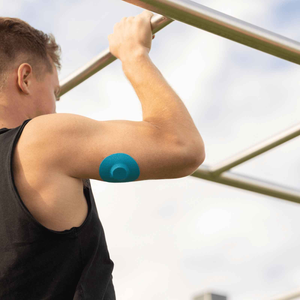
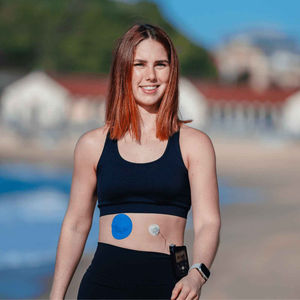
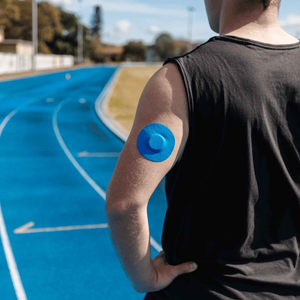
wesdaAn overpatch is an adhesive patch designed to go on top of your Dexcom G7 sensor, helping to hold it firmly in place throughout its sensor session. It covers the sensor and sits over the sensor's own factory adhesive, giving that adhesive backup against moisture, friction and everyday movement. It doesn't interfere with readings, because it holds the sensor in position rather than touching how it measures glucose.
What Dexcom says, device by device
Each device has its own rule and its own wear time, so they're kept apart here.
Dexcom G7: overpatch in the box, use it every sensor, 10 days plus a 12-hour grace period
Dexcom lists the sensor overpatch as a required component of the G7 system, alongside the sensors and a compatible display device. Its guidance is to use the overpatch included with your G7 sensor, which it says helps the sensor stay in place for the whole session. A G7 session runs up to 10 days with a 12-hour grace period at the end, so 10.5 days in total.
Dexcom's own tips for keeping the sensor on are simple: a flat, clean, completely dry site that isn't where your skin folds, and keeping the sensor dry and sweat-free for the first 12 hours. The longer it stays dry early on, the longer it may hold.
Dexcom G7 15 Day: same rule, up to 15.5 days
The Dexcom G7 15 Day follows the same instruction: use the overpatch included in the box with every sensor session. The session runs up to 15 days plus a 12-hour grace period, so up to 15.5 days.
Dexcom is upfront that a full 15 days isn't guaranteed. In its own study, 73.9% of sensors lasted the full 15 days, and Dexcom says that when the product is used as labelled, approximately 26% of sensors may not last that long. It puts some of that down to normal biological and wear-related variability, including a thin layer of tissue that can form around the sensor filament, and says an early end is not necessarily a sign of a product defect.
Dexcom G6: overpatch or medical tape, straight away on oily or moist skin, later on drier skin
For the 10-day Dexcom G6, Dexcom says to use an overpatch or medical tape to keep the sensor patch on. If your skin is oilier or more moist, it suggests applying the overpatch or tape immediately after insertion. If your skin is drier or less elastic, it suggests waiting to see whether the edges start to peel before adding one over the top. Dexcom says G6 overpatches are free: you can order them through the Dexcom G6 app or Dexcom Technical Support.
Dexcom stopped manufacturing the G6 on 1 July 2026, so this section is mainly for anyone working through existing stock.
Is the overpatch in the box enough?
For plenty of people, yes. It's made for this sensor, and Dexcom's instruction is to use it every time. The better question is whether your life asks more of it than a typical week does. An overpatch is worth a closer look if:
-
You sweat during exercise or daily activity
-
You live in a hot or humid environment
-
You swim or shower often
-
Your clothes, bag straps or seatbelt catch on the sensor
-
A G7 has come off early on you before
The longer 15 Day session adds one more reason: more days on the arm means more chances for a knock. If none of these sound like you, the box overpatch plus careful skin prep is a sound starting point. If two or more do, many wearers choose a third-party overpatch that's cut for the G7 and built for movement and water. Dexcom's guidance covers the overpatch it supplies, not third-party products, so it's worth mentioning any change to your care team.

Why a sensor comes off early
A CGM doesn't wear away. It gets caught, knocked or pulled loose, and once it's out, it's finished. Five things set that up over a few days:
-
Sweat during workouts
-
Heat that breaks down adhesive faster
-
Water from frequent showers or swimming
-
Movement in high-friction areas such as under bag straps or waistbands
-
Poor skin prep that leaves oils or lotion under the sensor
These add up. A sensor held by weakened adhesive is far easier to catch on a doorframe or sleeve. Where you wear it matters too, and our CGM placement guide covers approved sites and which ones see the least friction.
Overpatch vs surround patch
|
Feature |
Overpatch |
Surround patch |
|
Covers the sensor |
Yes |
No, it surrounds it |
|
Best for moisture and heat |
Yes |
Moderate support |
|
Dexcom G7 compatible |
Yes, full coverage |
Yes, if pre-cut correctly |
|
Activity protection |
High, built for movement |
Medium, good for daily wear |
|
Skin contact |
More adhesive area |
Less contact |
|
Dexcom G6 (legacy) |
Yes, as needed, per Dexcom |
Yes, a frame of tape around the sensor's own patch is a common approach |
How a Type Strong overpatch sits over the G7
Type Strong's Dexcom G7 / ONE+ patches are pre-cut to the G7 shape. The centre over the sensor is non-stick, so only the outer ring touches skin, which means the patch doesn't grip the sensor body itself. They're flexible and breathable, designed to hold for 10 or more days, and water resistant, not waterproof: they cope with showers, sweat and swimming, but no adhesive patch is built for prolonged submersion.
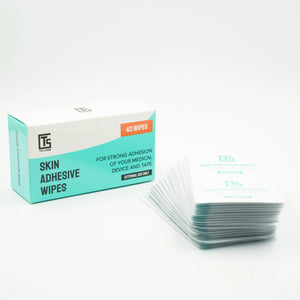
Skin prep makes the biggest difference to how long any patch holds. Clean, dry skin and a tacky base layer from skin adhesive wipes give both the sensor's adhesive and the overpatch something better to grip, and our guide on using adhesive wipes to improve CGM and patch wear time walks through the routine. If your skin reacts to adhesives, start with our guide to CGM patches for sensitive skin. Still using up G6 stock? There's a matching Dexcom G6 patch.
For more on keeping a sensor on day to day, see our five tips to protect your Dexcom G7 or ONE+ sensor.
What an overpatch cannot fix
An overpatch is a backup for adhesion, and it has limits worth knowing before you buy one.
-
A sensor that's already out is finished. An overpatch holds a sensor in place. It can't rescue one that's been pulled out, because once the filament has moved the readings can't be relied on.
-
10+ days is not 15.5. A Type Strong patch is designed to hold for 10 or more days. A G7 15 Day session can run up to 15.5 days, so the patch's claim doesn't promise the full session. On a 15 Day sensor, check the edges as the second week goes on.
-
It can't change the sensor's own variability. Dexcom says about 26% of G7 15 Day sensors may not last 15 days even when used as labelled. A patch can't change that.
-
It can't solve a reaction under the sensor. If irritation sits in the footprint of the sensor itself, the sensor's own adhesive is the likely cause, not the overpatch.
Frequently asked questions
Can I wear a Dexcom G7 without an overpatch?
Dexcom lists the overpatch as a required part of the G7 and G7 15 Day systems and tells wearers to use the one included with every sensor, so going without isn't what Dexcom instructs. Without it, the sensor relies on its own adhesive alone, with no backup against sweat, water or a catch on clothing.
Are Dexcom overpatches necessary?
For the Dexcom G7 and G7 15 Day, yes: Dexcom treats the overpatch as part of the system. For the Dexcom G6, Dexcom says to use an overpatch or medical tape as needed, depending on your skin and how the sensor patch is holding.
Are Dexcom overpatches free?
A G7 overpatch is included in every sensor box. For the G6, Dexcom says you can order free overpatches through the Dexcom G6 app or Dexcom Technical Support. For spare G7 overpatches beyond the box, ask Dexcom Technical Support what's available.
How do I get Dexcom G7 overpatches?
Each G7 and G7 15 Day sensor box includes one. If you want spares or a version built for sweat, water and movement, you can ask Dexcom Technical Support or choose a third-party overpatch such as Type Strong's Dexcom G7 / ONE+ patches.
Sources
-
Dexcom. "How long can I wear the Dexcom G7 CGM sensor?" dexcom.com/en-us/faqs/how-long-can-i-wear-the-sensor
-
Dexcom. "What components are required with Dexcom G7 CGM System?" dexcom.com/en-us/faqs/what-components-are-required-with-the-new-dexcom-g7-cgm-system
-
Dexcom. "What can I do to keep the G7 sensor from peeling off my body?" dexcom.com/en-us/faqs/what-can-i-do-to-keep-the-adhesive-patch-from-peeling-off-my-body
-
Dexcom. "Understanding 15 Day Wear Time." dexcom.com/en-us/all-access/clinical-corner/why-my-dexcom-g7-cgm-sensor-didnt-last-15-days
-
Dexcom. "How do I keep my sensor on for the full 10-day wear?" (Dexcom G6). dexcom.com/en-us/faqs/how-do-i-keep-my-sensor-full-10-day-wear


